
Like Mike Johnston writing in The On-Line Photographer, I’m aware that any attempt to line up one or more cameras and show comparison images or make judgements is on to a loser from the start. And any webmaster who puts an external link in the first half dozen words of a new post is losing the plot too! But here, for what it’s worth, is the first line-up of results processed using the same software from A900 and D3X uncompressed raw files converted without sharpening or noise reduction.
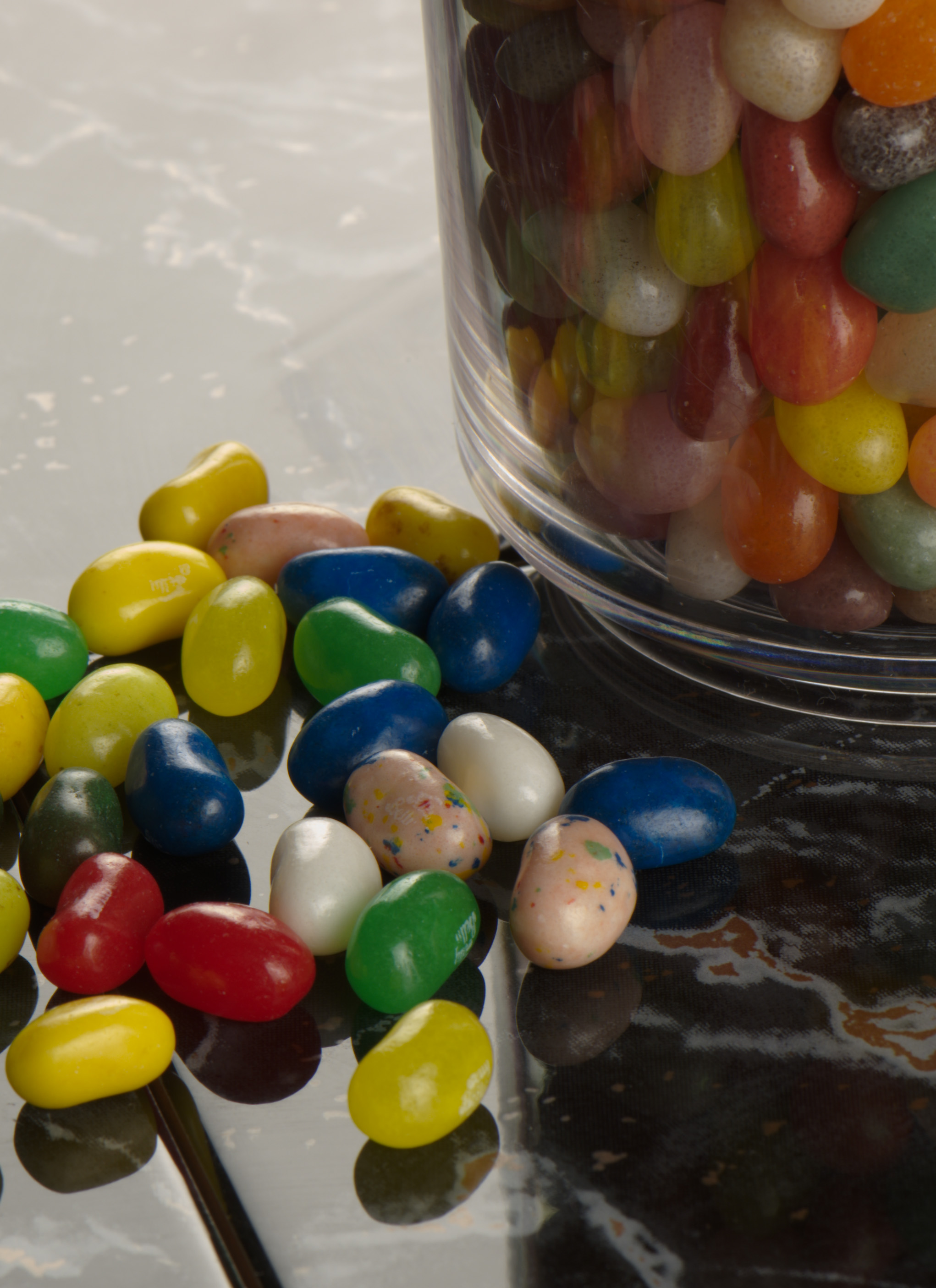
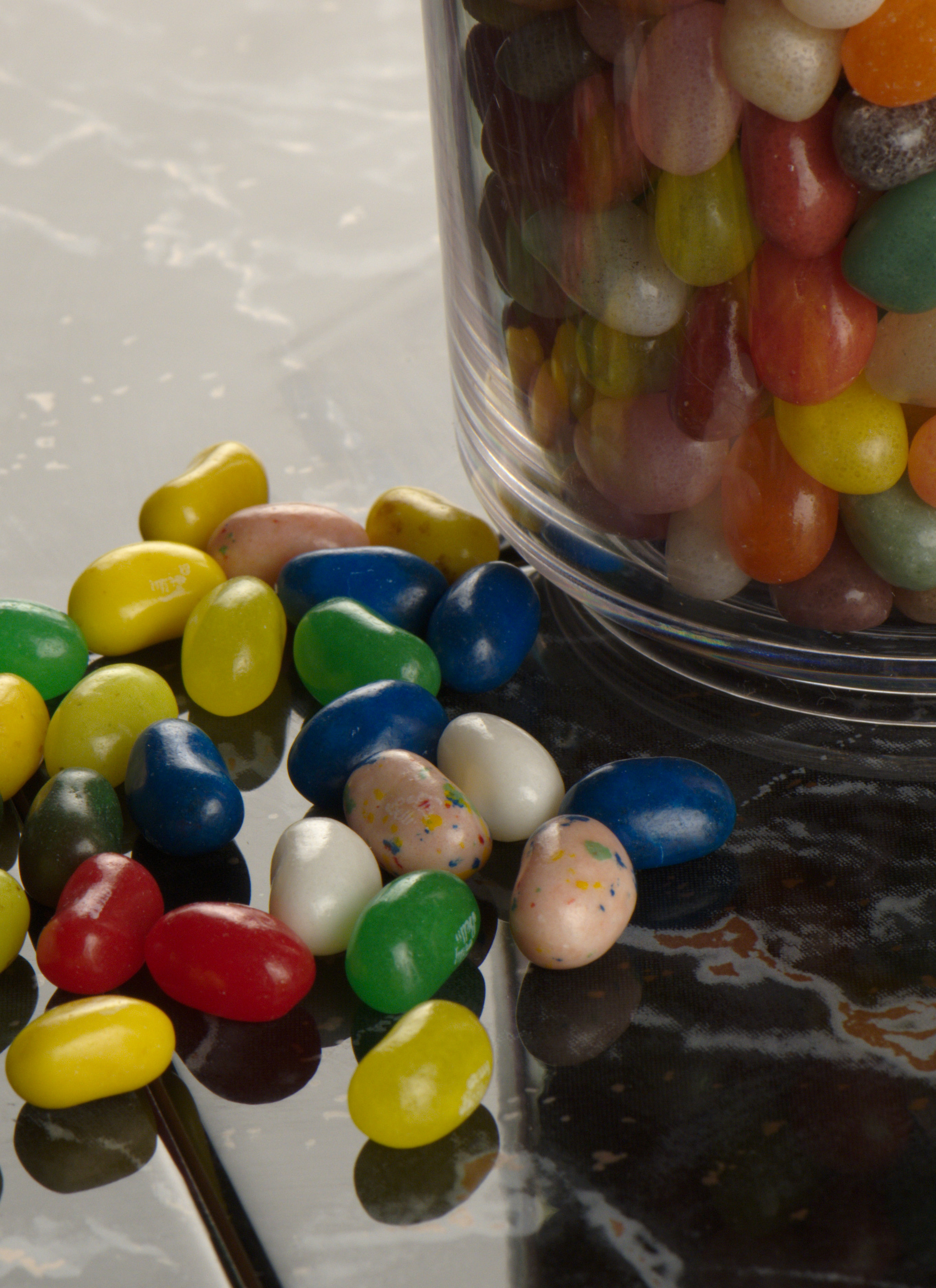
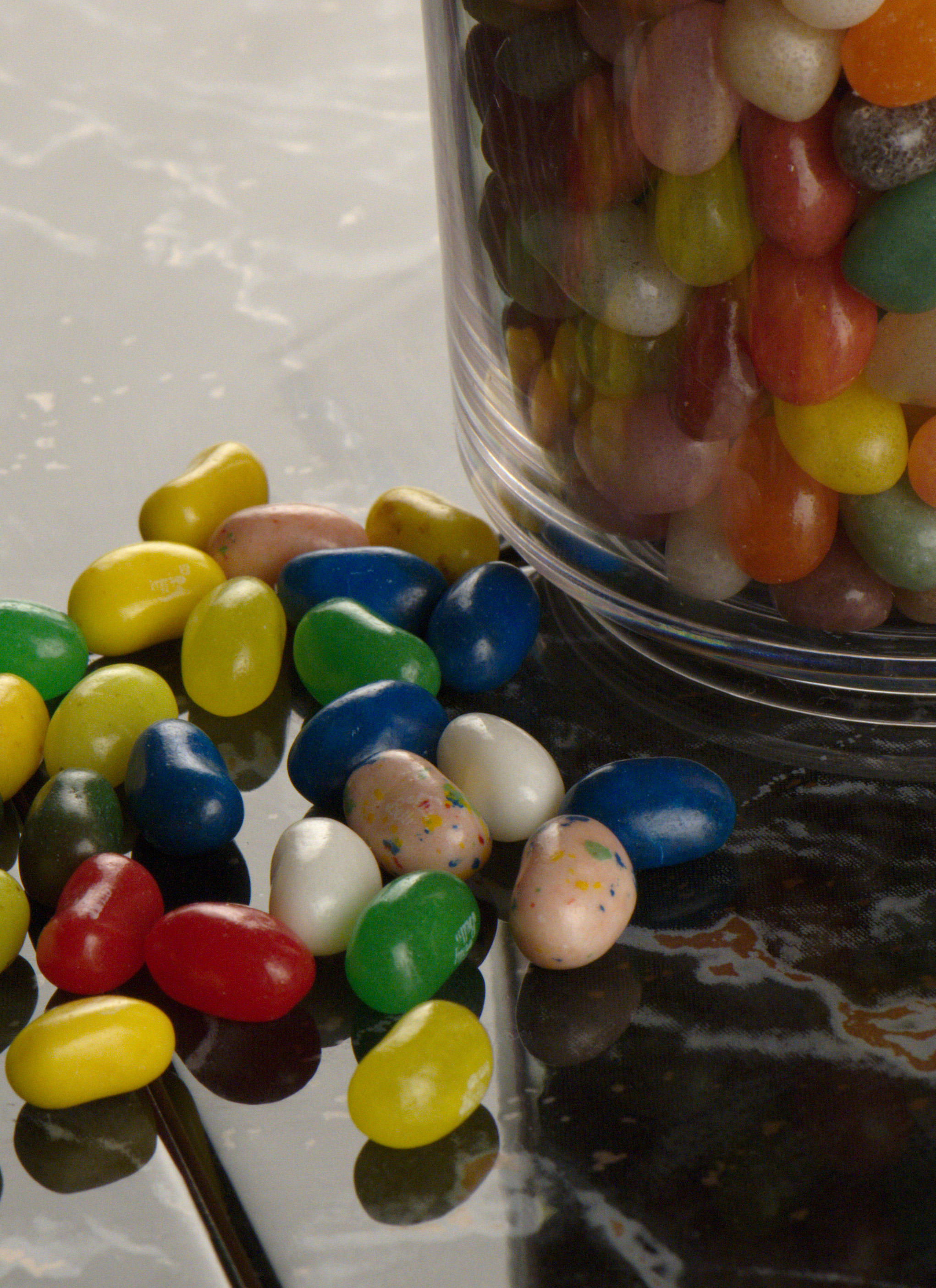
First, the test shot:
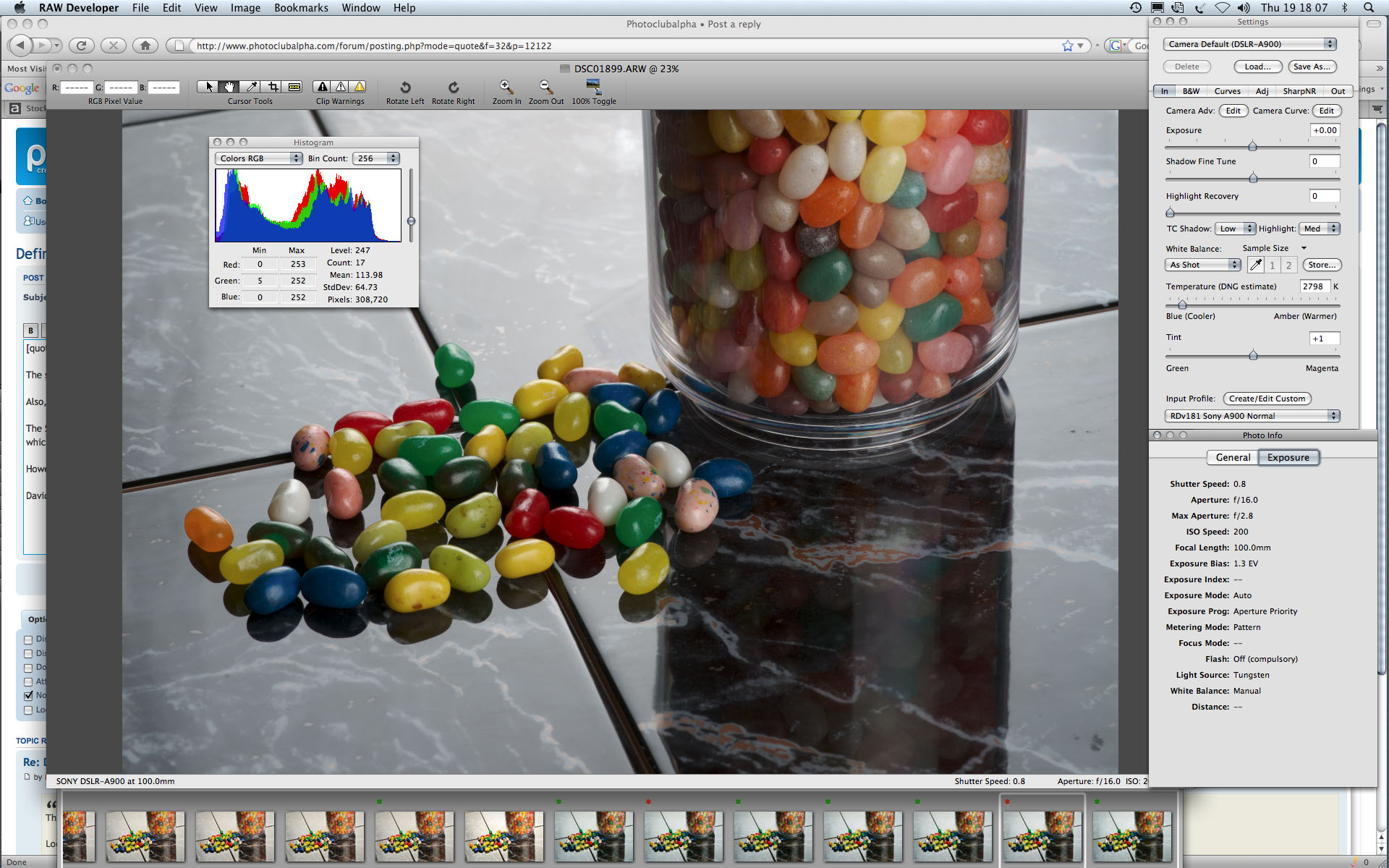
This was carefully devised to replace a two-dimensional colour checker target with some 3D objects and to provide two different levels of light – the strong backlight and gentle fill-in. The backlight is strong enough to take the reflection to near whitepoint off the ceramic tiles, but the reflections off the jelly beans provide the real ‘clipping point’ specular highlight. The shadow area is murky enough to show up poor contrast in shadows.
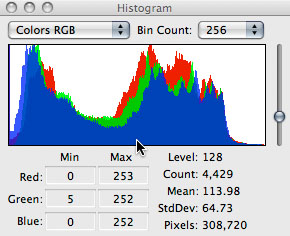
The exposure was carefully set at ISO 200 (checking that there was not a substantial shift between ISO 100 and 200 on the Nikon, as it is supposedly ISO 100 native where the A900 is 200 native). The histogram on the A900 was adjusted using the light level and exposure factorial adjustments to be unclipped at the highlight end, and just clipped in a single channel at the black point end:
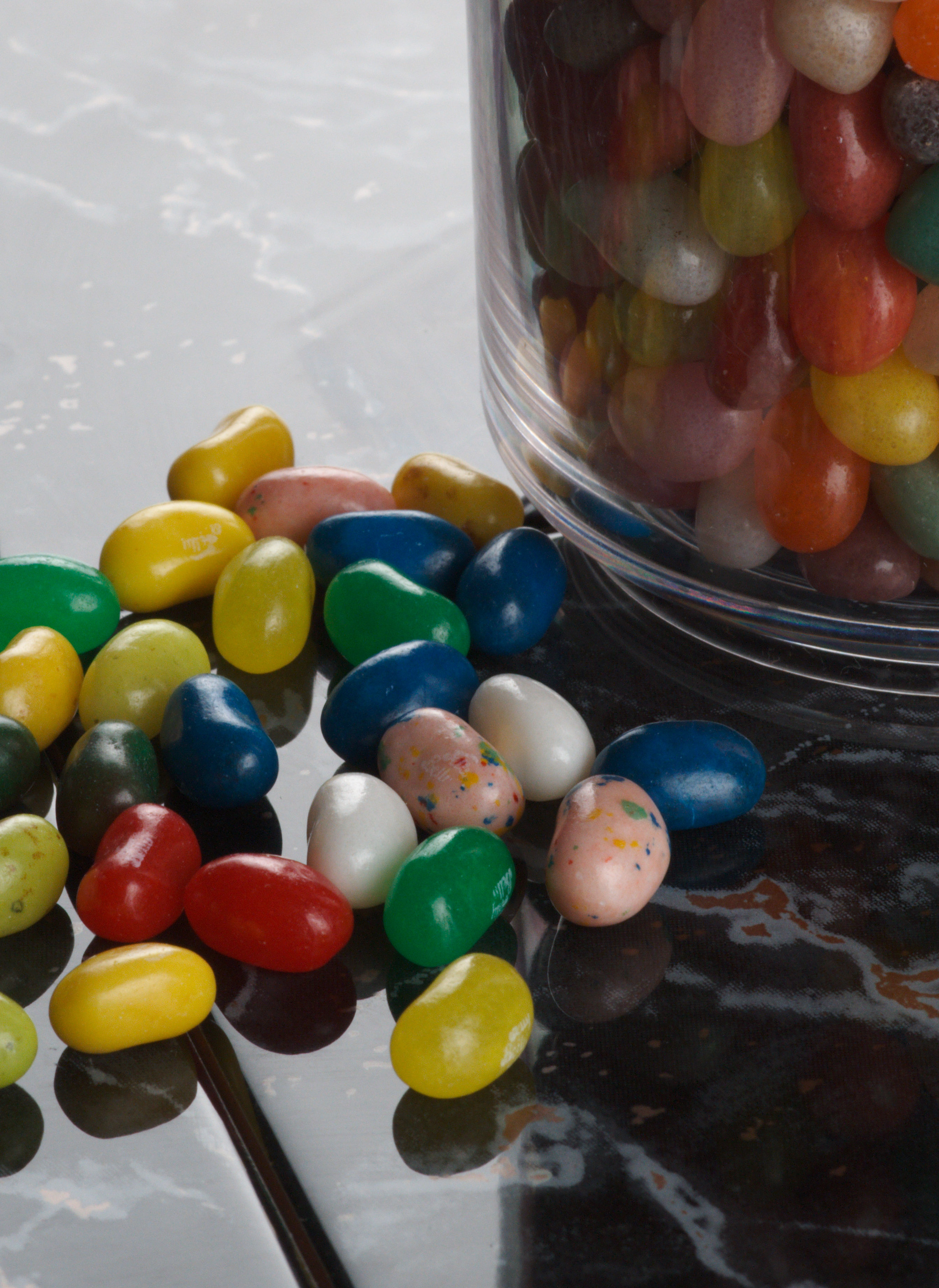
The Nikon was adjusted to get as close as possible to this, which actually required about 1/3rd stop less exposure for any given nominal ISO rating. It was not possible to prevent the Nikon image clipping on a straight raw conversion (red just clips at the highlight end, and all three channels clip at the shadow end):
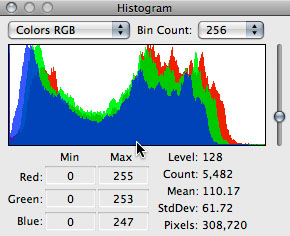
However, it’s as close as repeated tests could bring the set-up given the potential for variation between the cameras and the two lenses used (Minolta 100mm f2.8 Macro AF, Nikon 105mm f2.8 AF-S VR Micro Nikkor). You will note that the Nikon histogram shows the warmer balance given by this camera’s Tungsten preset, relative to the neutral given by the A900 Tungsten preset. The lights used were 150W modelling lamps on full power with single scrim softboxes.
If the Nikon was given exactly the same exposure as the Sony (0.8s at f16, ISO 200) then the histogram was clipped at both ends:
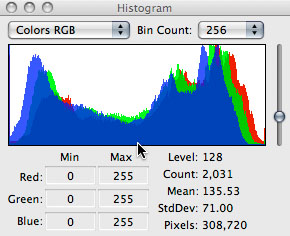
In most ways this does look a better result – midtones are brighter, the whole picture comes to life. If the Sony is allowed to clip at the highlight end by increasing exposure it is similarly enhanced in the midtones. But the object here is not to create the best still life shot, it’s to show some conditions where tone curves and noise levels can be compared.
The software
I used Iridient RAW Developer 1.8.1 for Mac OSX, because this software would process both the raw filetypes and also happens to produce a very fine but distinct noise pattern, based on the dcraw conversion from Dave Coffin. In this respect it resembles Bibble rather than Adobe Camera Raw. Iridient assigns completely different blackpoints and tone curves to the two cameras. These curves are a good match for the Standard in-camera JPEG. The Alpha 900 seems to have much darker midtones despite having a tone curve which does much more to lift these midtones, indicating that the Bayer raw file is written with a much flatter (more linear) A-to-D transfer function applied in the camera. Nikon’s raw file, if RAW Developer’s deep capture tuning controls are to be believed, has brightness value much closer to a processed deBayered RGB image.
Since completing the test on December 18th, Iridient has (December 18th later on!) released 1.8.2 which greatly brightens the Nikon tone curve, lifting it even further than the Sony Alpha 900 originally was, and flattens the upper midtone end of the Sony Alpha curve while dropping the shadow low bit values right down. The result is almost a clear f-stop of apparent speed gain for the Nikon and a histogram which no longer even resembles the Alpha. The 1.8.1 conversions were fairly matched, the new conversions are not. At this stage I am not replacing the files with new versions.
I will leave further investigation of that key difference to experts. Let’s just say that attempting to further lift the Sony tone curve to match the Nikon ‘mean tone value’ increases the noise levels. Since the Nikon is clearly already holding a clear advantage in noise levels this is no help to the Sony.
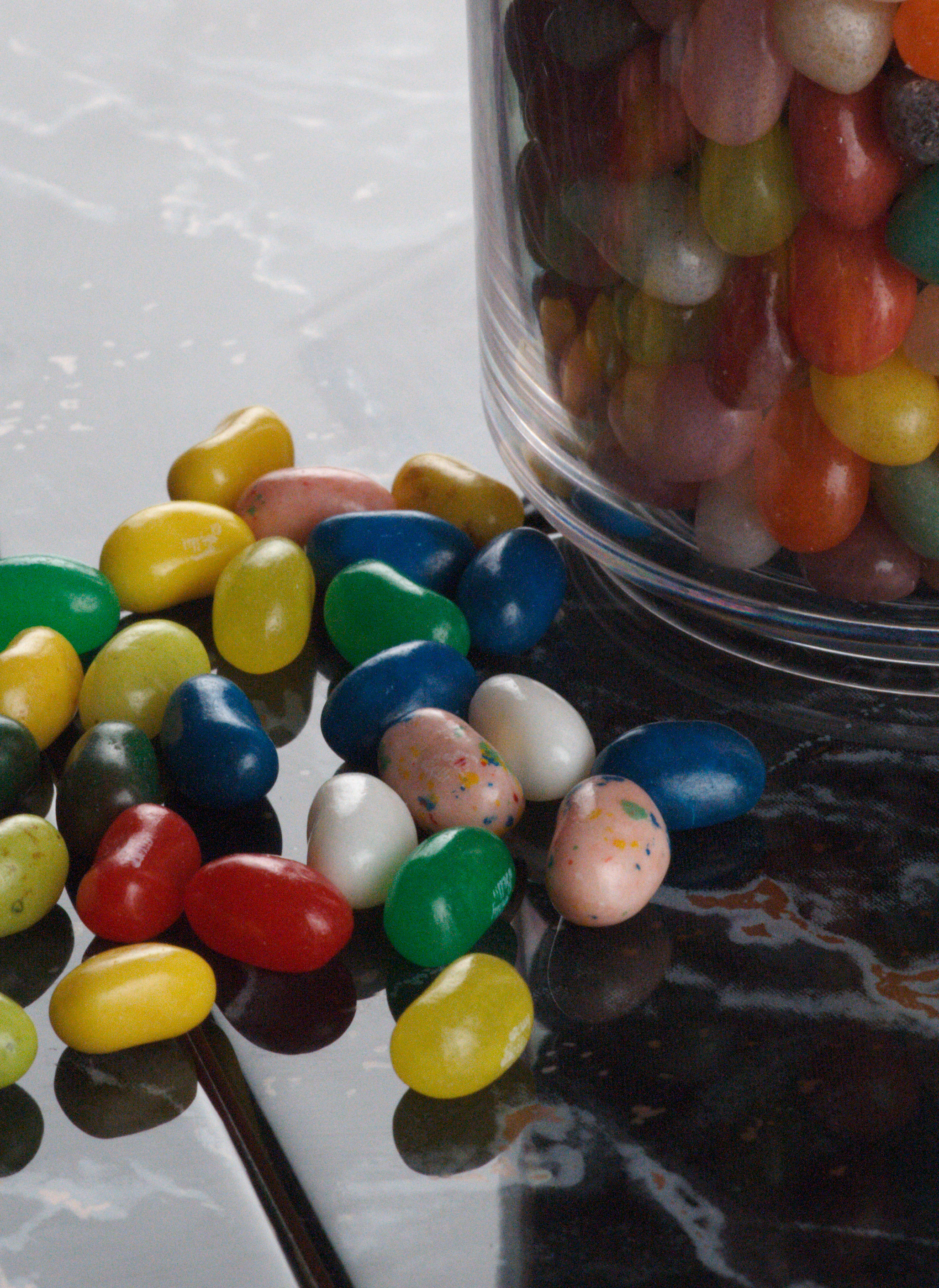
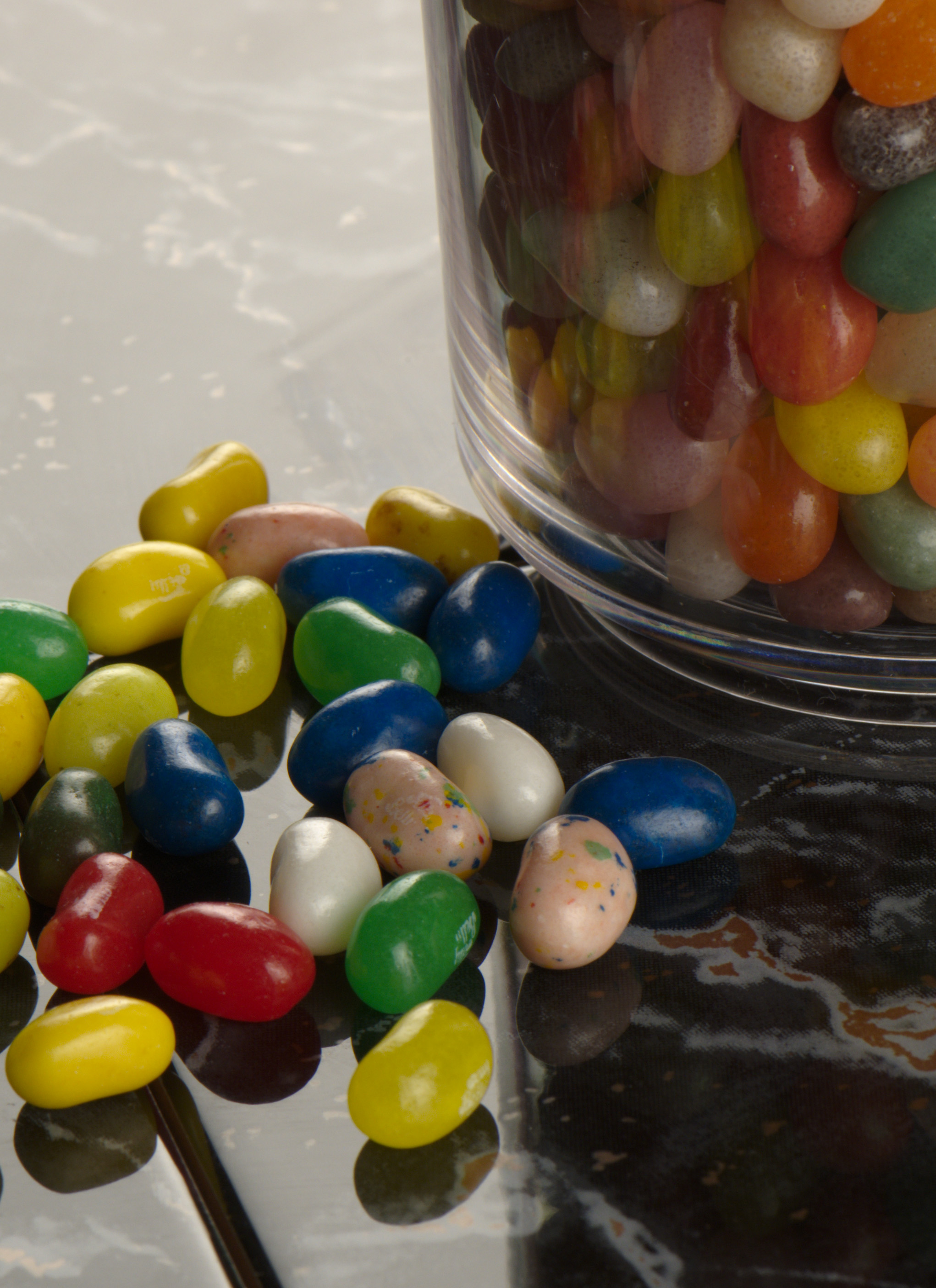
Here is what a flat (linear response) conversion from the A900 looks like – the Blackpoint in RAW Developer is set to 78 by default for this camera, and has been lowered to 0 – this makes the darkest tone look grey as well as tinted:

Nikon’s default black point is 0. This is unusual – it’s the Sony raw file which is normal. Testing various other raw file types, black points well over 100 are common, in some Canon raw files (they look pastel pink when viewed this way). But the flat Nikon file looks almost ready to eat without further cooking:

What this shows (I think) is that the Nikon image is using more of the available bits (RAW Developer uses a 0-255 scale for adjusting black and white input points, but of course the source files are 12-bit for Sony and 14-bit for Nikon). Less tonal transformation has to be done by the raw processing software, and less noise will be added in the process. Comments from raw file experts are welcome, especially an explanation of why most raw file formats do not use the low values at all but Nikon does.
Disclaimer: Iridient continues to refine default camera processes for each file-type. My processing using this software happened at a very early stage (this release for example won’t handle Canon EOS 5D MkII files, so it was surprising to find the D3X supported with good looking results). Since RAW Developer allows full control over the raw conversion input, camera profiling and related functions the defaults used are one possibility out of thousands. In-camera JPEGs do look better, and so do adjusted raw conversions.
My intention here has been to remove adjustments and show as ‘flat’ a matched result as possible, without the extreme of showing the raw files as they appear above.
The ISO range tests – pBase file series
For each ISO setting, I have clipped a 5 megapixel area out of the image, with the focus point set on the pink jelly bean between the two white beans. Do not try to judge sharpness from this test, that was not the purpose and capture sharpening has been disabled (so has capture NR).
The first image in the A900 series is at ISO 100:

To view this at 100 per cent scale, click the image or the first link below. Each ISO step then follows with a direct link to a full size file. Please note that ISO 100, as a ‘non native’ reduced ISO rating, has less dynamic range and this results in a brighter highlight level; the remaining shots in the series are more closely matched to the Nikon example below:
You can also go to the first image pBase directly and then click NEXT to view each subsequent image. Please remember – if you see small variations in density, that is a result of how the ISO setting and the identically controlled exposure (Aperture priority auto, matrix metering, viewfinder eyepiece closed, 2 second self timer) interacted. The test is not made invalid by density variations; these are additional information about how the camera performed. If they were to be corrected in processing, that would invalidate the comparison.
The Nikon series starts at ISO 50, a similarly non-native reduced setting called L1.0 by Nikon (they won’t even give it an official EI rating). Like the Sony ISO 100, this displays highlight and shadow clipping, but the loss of dynamic range is better controlled on the Nikon, and it is close to the ISO 200+ results:
Remember, no WB adjustment has been made in processing. This is a result of the Nikon Tungsten preset compared to the Sony Tungsten preset, and the JPEGs show the same difference.
Here is the Nikon series, starting with the ISO 50 example above:
And, again, you can go to the first image on pBase and click NEXT to move through the series. A very good way to compare these images is to download them all and open them in Photoshop CS4 as a set of tabbed files in one window, to the same size 100 per cent view and absolute position. Click each tab in turn and you will see the precise changes in noise, colour and density almost like an animation. It is not possible to line the Sony images up with Nikon, because the differences in the 100mm and 105mm lenses and the camera body depth required a tripod height and distance change.
Conclusions?
The purpose of this article is not to trash the Alpha 900’s performance, though some will see it that way and insist that some alternative processing method would work miracles with the 900. There is some truth in that; the A900 files may work better with a completely different de-Bayer strategy, and so for that matter may the Nikon files. I know that both cameras are usable to their maximum ISO with excellent results in appropriate conditions. The purpose of the article is to shown how they are placed on the starting-grid before any raw conversion or post processing is applied.
It obvious that Nikon’s internal processing strategy pays dividends and that £5,500 does buy a superior ‘image-sensor plus onboard processing’ performance, compared to £2,000 (make those £4,800 and £1,600 at current street prices, time of writing!).
The obvious question to Sony must be – why can’t you manage the same, or at least come a little closer? They might reply that an extra half stop or stop in dynamic range, with its highlight and shadow recovery potential, matters more than the finesse of grainlike noise patterns. And they might be right. Until we have D3X raw file processing with a number of utilities including Adobe Camera Raw (the champion for dynamic range recovery, and the worst for mushing this fine crisp noise into something far coarser and softer) we’ll have to wait and see.
I can just tell you I’m happy with my Alpha 900 and even if I had the money to spare, I would not swap the smaller lighter body, better viewfinder, inbuilt SSS stabilization and slicker interface for the D3X. D700X in future? Maybe, but even then the SSS with the wide range of lenses I use could be the deal-breaker.
Your own choice may be different, and if you are reading this as a Nikon owner, I hope an Alpha 900 sized and priced body does appear in due course for you with this same excellent 24 megapixel performance.
– David Kilpatrick FBIPP Hon FMPA







Leave a Reply
You must be logged in to post a comment.