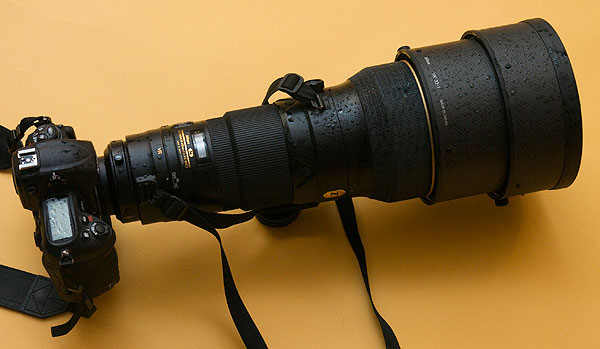
As part of my tests of the Nikon D3S (British Journal, report in December, with additional material by Richard Kilpatrick who is shooting with Nikon on November 25th at a press event) I dragged the £6,000 400mm f/2.8 AF-S IF ED G supertele into the rain as darkness gradually forced the ISO up from a mere 10,000 to the maximum 102,400. The object was make a short video showing rising floodwaters, no threat in our town but still dramatic to watch.
Here’s how it came back from the hour in the rain, a quick wipe down with an oily rag and it was all as good as new. Actually, it needed a thorough drying with the towel then a clean up with a lint free microfibre cloth to remove dust and towelly stuff. The very deep lens shade kept the exposed front element totally dry despite the wind and rain; I just made sure it was never aiming into the wind.
During the shoot, wind noise was a major problem. I locked the microphone to level 2 manual gain, not automatic which would have been a disaster. Many clips had to be shortened, some discarded due to violent wind noise I could not mask. The sheer weight of this combo made lugging it with a decent Slik tripod (pan and tilt head for video) difficult; I drove to the evening location with the rig laid flat on the back seat of the car, but still had to walk several hundred yards for some shots. I wore a Tog24 parka and found that by pulling the fur-lined hood over the camera body I could cut out nearly all the wind noise. I must have looked like a view camera operator with a dark cloth, or something out of Monty Python with my jacket pulled up and the hood over the Nikon!
But, this seemed such a good solution to the wind noise I would consider unzipping the hood from the parka and using it as a baffle in finer weather.
My favourite part of the video is the one with the worst noise, where I was not able to keep the wind away from the direction of shooting – the sequence of the road (flooded by the morning) with headlights, tail lights and cars in rain. This consists of three takes blended with long crossfades. During each take, the manual focus of the 400mm used at near wide open f/3.2 aperture was pulled to bring the moving traffic in and out of focus, and create huge bokeh circles from the lights. This would be impossible with a camcorder and not all that easy with a conventional high-end video kit. The combination of full frame 35mm format and the fast 400mm has enabled a highly effective cinematic technique to succeed on the first time of trying. With some markers on the focus ring, some practice and many more takes the result could have been refined further.
But I was getting very wet and so was the camera!
The first part of the video is all on the 400mm with tripod, with High ISO video enabled. The ‘next morning’ stuff is on the 24-70mm, hand held, locked down to ISO 200 at f/8.
I’m not sure when our final review of the camera will appear in the British Journal, it should be early December.
The video is encoded to best quality 720p from iMovie09, and can be best be downloaded and viewed without any YouTube jerkiness at full res if your connection is not good.
My review of the Alpha 550 has caused controversy because of the blue sky noise. I might as well say that over the last week, I’ve used the 550 in a wide range of conditions – some very bad conditions included – and its failure to match ISO 100 finesse would not worry me at all. The performance at higher ISO settings is so much improved it’s worth putting up with the minimum of ISO 200, and a touch more noise than the best ISO 100 results from the Sony CCD sensors.
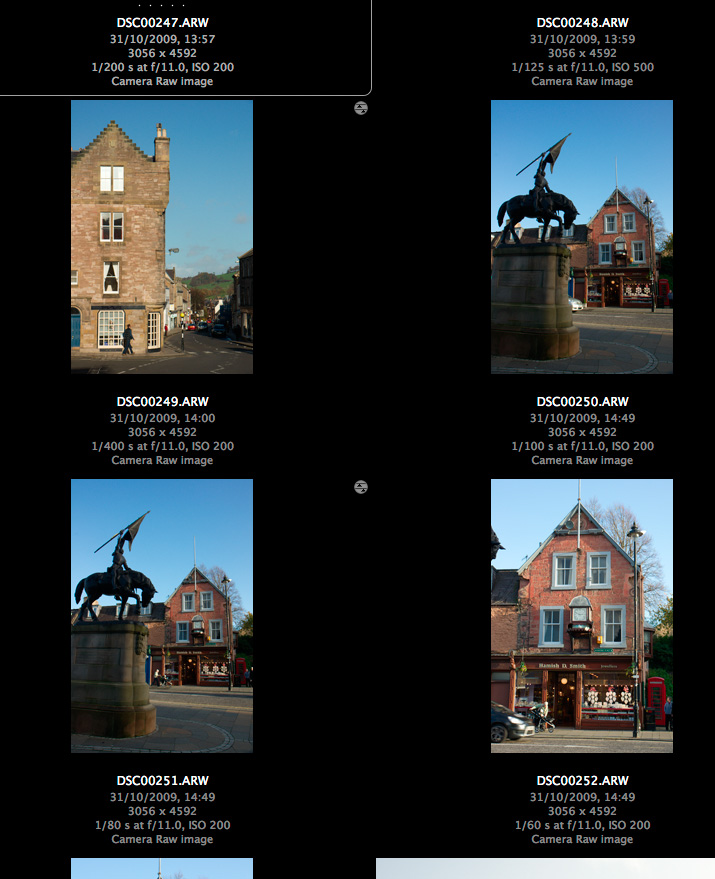
Even so, something was clearly happening during the period of sunnier weather used for my earlier A550 tests. I used Auto ISO initially, because I had not realised how readily the camera will select settings right up to 1600. Auto ISO has thrown up some surprises. Here’s something to consider:
Please note that although ‘process’ symbols are shown with these Adobe Bridge/ACR images, the defaults were restored and then each picture was set back to defaults. They are all shown relative to each other in density, the image preview built by ACR. There is no question of DRO or any other tonal setting interfering with the apparent exposure – DRO does not affect the .ARW file, ACR discards any DRO generated embedded preview in my setup prefs, and DRO was not being used anyway.
It has already been noted by other reviewers that the A550 has considerably more headroom without clipping, even compared to the A350 which was already a top-ranking camera for dynamic range. This is what I meant when I compared its default images to Canon with Highlight Tone Preservation switched on, or KM/Sony older models using the Hi200 setting. This can mean that the A550 is really ISO 100 at its lowest on-sensor gain setting, but the exposure system is programmed to underexpose by a stop and the post-processing (BIONZ) is set up to boost the gain.
Why would Sony do this? Perhaps they read the many posts referring to the Alpha 900 and 700 ISO settings. The on-sensor gain controls the main ISO steps, but a rather cleaner post-process gain adds the 1/3rd step intervals. Experienced Alpha 900 users set ISO 320 manually because the sensor is at its optimum at roughly ISO 160 (DxO tests bear this out). The standard ISO 200 setting can produce more noise than ISO 320 because two different digital stages are used to produce the gain.
In search of superior high ISOs, they may have realised that the early gain stage (on the chip assembly) is inferior to the later BIONZ processor, and you can indeed get better high ISO by underexposing a lower ISO setting, then processing it with clipped blacks. That’s a Nikon technique, which has served them well. It’s also a technique used by experienced DSLR owners.
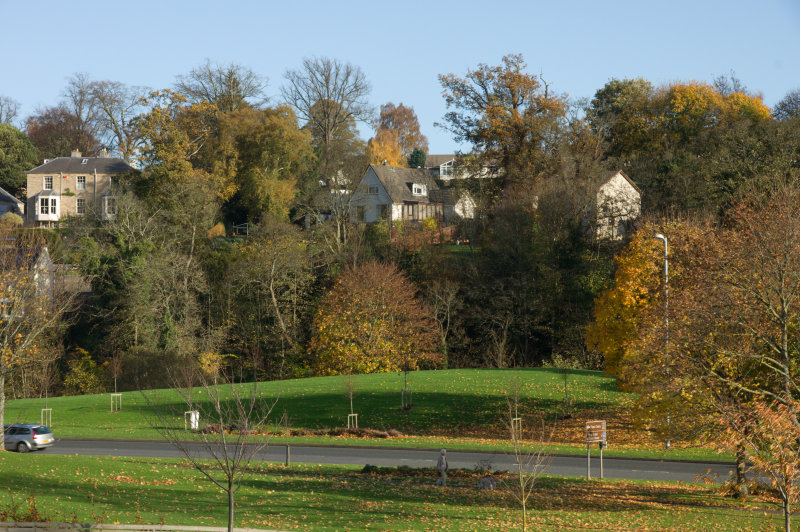
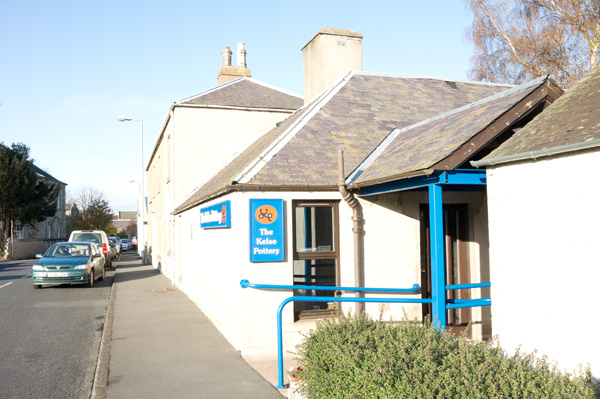
Now consider the four shots above. They are all taken at ‘ISO 200’ but the camera was set to auto ISO. Other shots in the same set show ISO 250, 500 etc confirming the auto ISO was in operation. They are taken in the afternoon in Scotland, so it is fairly near to the end of the day for sunshine by 14:49hrs, around an hour away. But the two locations at 50 minutes apart, 14:00hrs and 14:49hrs, should not have the extreme variation in exposure shown here.
Just what is going on for an exposure of 1/400th at f/11 to look correct at ISO 200, with the dark sandstone buildings of Jedburgh at the end of October? 1/400th at f/11 is the ISO 200 exposure for full sunshine in midsummer (aka f/16 light). You hardly ever find f/16 light in Britain unless you are on the beach, surrounded by pale concrete, in a field of golden corn or out on a lake.
50 minutes later, exposures range from 1/60th at f/11 to 1/100th at f/11 – that is, more or less, from two to three stops more. In fact these exposures are in line with what I would expect, it’s the 1/400th at f/11 which is the odd one out. I have no evidence to suggest that my CZ 16-80mm has an aperture which fails to stop down consistently.
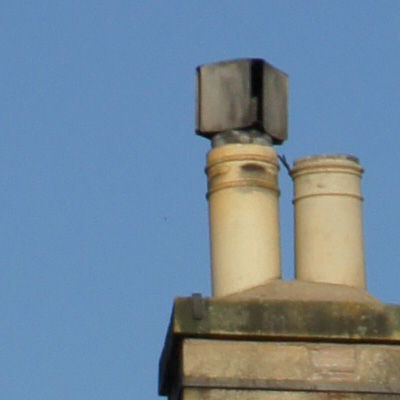
Now look at some sky samples:
Here is an in-camera JPEG version which shows less noise – the in-camera process is equal to using much stronger NR in raw conversion than I would normally choose for ISO 200:
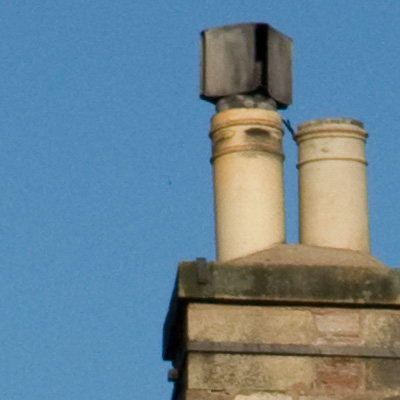
Now for the same processed from raw – notice that despite the noise, it is slightly more detailed or sharper:
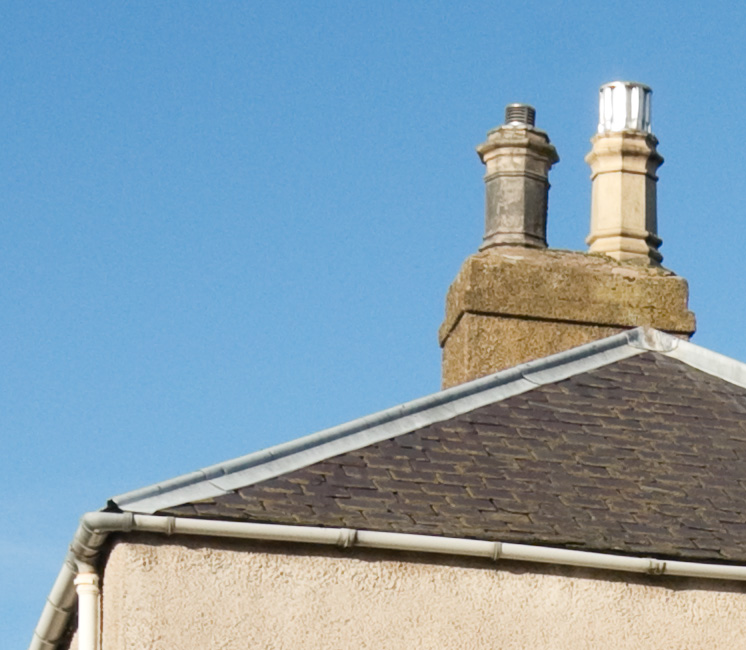
This is a reprocessed second version of the original noisy sky instance. Here, I have used Adobe Camera Raw 5.6r1 defaults, which include some basic sharpening and also 25 on the chroma NR scale. No exposure adjustment is made at all. This view, by the way, looks more or less due north and it is not a case of a brighter sky underexposed; also, the stone and the chimney pots look normally exposed.
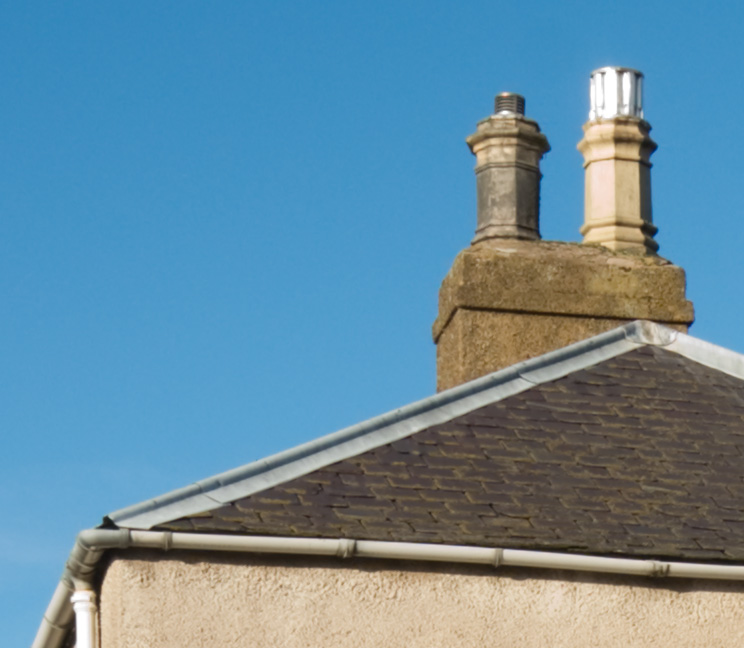
This is the 1/100th at f/11 shot, processed exactly the same way. It’s interesting in that I expected to see much lower noise, but in fact it’s much the same. The sky density is similar as well. The view is slightly more towards the east. While my Alpha 380, 200, 100 and even 700 shots are capable of showing blue sky noise at ISO 100 and as much as this as 200 it’s not as obtrusive.
Finally, this is the 1/60th exposure – perhaps more what would be expected at ISO 100 in this light with f/11. Here, I have set -1 EV exposure reduction in Adobe Camera Raw to get much the same final sky tone density. The noise is lower.
Checking other images I’ve taken since, I am now suspicious about the Auto ISO function in the Alpha 550, and whether it reports the gain applied to each shot accurately. It’s hard to reconcile the same ISO 200 setting shown in EXIF with the range of exposures encountered, and the actual exposure of the raw file. Yet ISO 250 was also selected for this shot taken a few minutes before the chimney shot:
This is also included in the main report (click image to view full size on pBase). If I darken the sky as much as the other examples, I get noise similar to the 1/60th ISO 200 clip, or better.
Since making these tests, I’ve started using the Alpha 550 only on fixed ISO settings, with some misgivings as intermediate gain like ISO 250 or 320 might possibly be yielding better results. I just feel something is happening in the BIONZ stage, perhaps involving analysis of the Auto ISO images and compensation for deviations from the reported EXIF Auto ISO setting. This is just a hunch. Fixed settings seem to be equal to the worst case from Auto ISO. Here’s a textbook example, 1/125th at f/16 for a blue sky on November 3rd, facing due north, at 14:19hrs, ISO 200 fixed setting, ACR 5.6 defaults as above:
The answer seems to be to overexpose your manual ISO 200 shots by not simply one stop, but as much as two stops when shooting raw. At least if Adobe Camera Raw is used, recovery of normal tones (not burned out highlights) will fully restore the exposure from 1 or 2 stops over depending on the subject.
Here is an overexposed image, taken at 1/80th at f/10, ISO 200, in mid-day sunshine:
Below is what the sky looks like in a normally exposed image (1/250th at f/10), processed using Adobe Camera Raw defaults (including sharpening at 25/1/25/0 and NR at 0/25), looks like:
And here, finally, is what an adjusted ACR process from the overexposed image looks like with sharpening turned off, NR set to 25/50, exposure and brightness determined by the simple process of using Auto (which can be set as a default in ACR if you want to consistently make generous – over – exposures ‘to the right’):
This is much more how I expect to see a sky looking from the base ISO of a 2009 DSLR release, viewed at 100 per cent. From this stage, different types of sharpening can be applied to suit resized versions for different purposes.
Results with other raw converters, as more become available for the Alpha 550, may be finer in noise structure than ACR or may offer less scope for overexposing – ACR is well known for its ability to recover highlights. I do not intend to go much further into this with tests of converters, but I hope I have shown how the ‘true ISO’ of the A550 is difficult to pin down especially in Auto ISO mode, and how it is possible to benefit from the great high ISO performance of the camera (just use it!) and at the same time secure good low ISO results for travel and landscape shots where a clean blue sky is important.
It’s important to note that in-camera JPEGs will not necessarily show similar noise levels. If they do it’s not so easy to fix without using NR software. I prefer to shoot raw for many reasons.
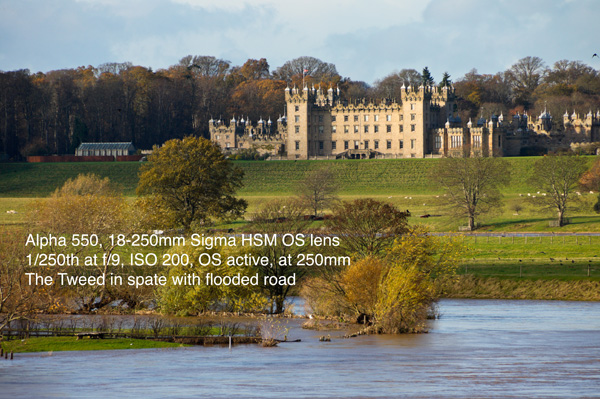
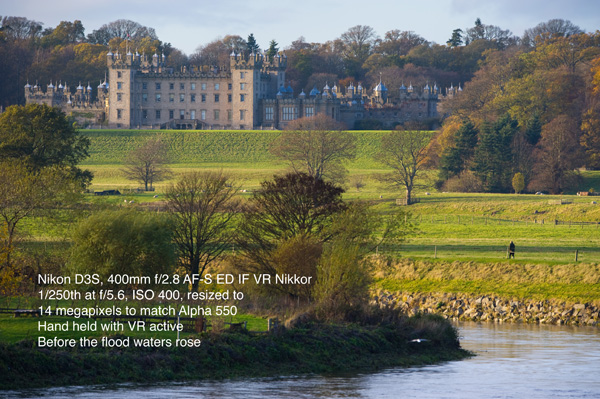
So, why not be very happy with the Alpha 550 as a choice? Here are two pictures. You can view the full size Alpha image, and the Nikon D3S image resized to match 14 megapixels, by clicking on the smaller size here. Of course the Nikon image is better, though 1/250th at f/5.6 and ISO 400 is more of a step away from 1/250th at f/9 and ISO 200, and I’m not sure the light was SO different on the two occasions: – DK
Press release from Sony, March 3rd 2009 – important bits highlighted in bold, uncalled-for comments in italics:
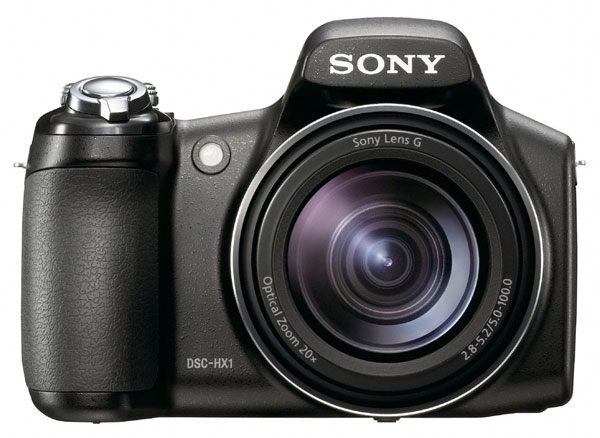
The Cyber-shot HX1 by Sony, teams stunning picture quality, lightning-fast shooting and powerful creative features in a stylish, supremely easy to use camera. The new flagship of the Cyber-shot range showcases a range of sophisticated image sensing, optical and processing technologies that offer unrivalled creative possibilities. (more…)
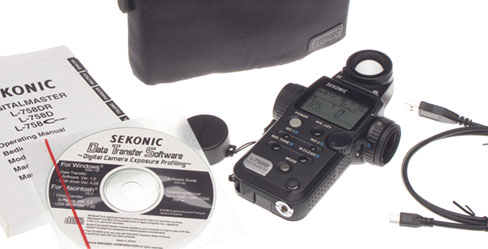
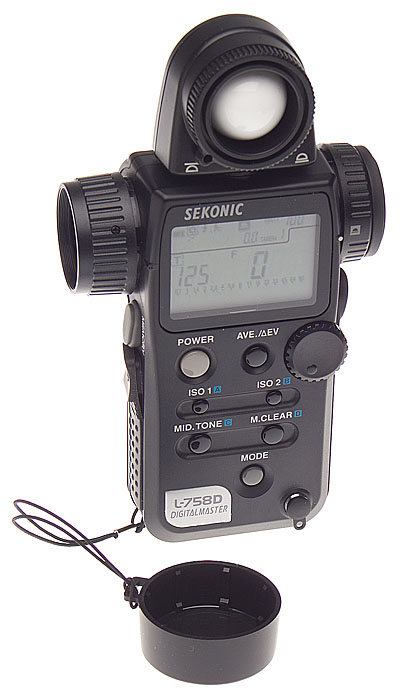
The Sekonic Digitalmaster L-758D meter offers the solution to variable ISO/EI ratings, and apparent sensitivity and contrast curves variations found in DSLRs. With a USB interface to link it up to a PC/Mac calibration program, the L-758D can remember three different cameras, two types of lighting (ambient or flash) and two measuring methods (incident or reflected) plus a range of ISO values for each of the cameras. There are twelve basic ‘profiles’ that can be stored, and within each profile a range from ISO 3 to ISO 8000.
The three cameras can include settings on a single camera such as Landscape+sRGB+High Contrast, or Portrait+AdobeRGB+Low Saturation+Low Contrast. More likely, they will be three different generations or even different makes of digital SLR, as many studios keep their last models when buying new ones. They can equally well be films used in a particular film camera, though you need a scanner or a densitometer for calibrating film.
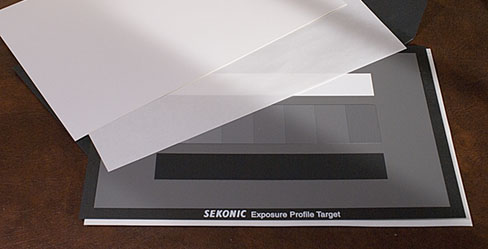
You might think a meter costing over £300 and coming with a USB cable and a program to do the calibration would include the necessary calibration target. But it’s incapable of actually doing the calibration until you spend another £99.99 on a special A4 grey scale card. Since this report was written, a new more accurate target card has been introduced.
My sample test target arrived packed in a carton large enough to contain a camera. It is quite fragile, and obviously hand-made using special papers and perhaps a type of inkjet printing for the black patches. You could not just shove this in a camera bag and use it as a grey card. It should be kept in its envelope and stored away from light, like an archival print.
Sekonic Digitalmaster L-758D basic functions
The Sekonic appeared to agree with power adjustments made to my Elinchrom flash units, which claim a 1/10th of a stop accuracy.
I found it to agree with my Minolta Flashmeter IV (which can be user calibrated with a small potentiometer in the back, but only for overall sensitivity). The L-758D should never need to go back to base as a default calibration can be programmed in to it, and this can cope with non-linear responses.
The L-758D will measure flash versus ambient, compare light source contrasts, or compare incident and digital much like any other modern digital meter. You can take up to nine spot or local measurements, pressing the M memory button after each one, then pressing the Average button for a calculated average exposure. Contrast (they recommend you turn each light off and only measure one at a time) is shown in EV values.
The reflected light metering via a semi-spot type viewfinder replaces any other type of reflected reading. Unlike the Gossen Spotmaster F you don’t get information shown in the finder, you just use the sighting to make the reading and must then examine the Sekonic’s LCD.
I found the L-758D to be large, complex and to have too many simultaneous potential functions and too much going on the LCD display with too-small graphics and symbols. It is no doubt versatile but I would be happy with one of the simpler models in the range for the routine metering I need to do.
Sekonic Digitalmaster L-758D calibration
If you shoot raw and habitually use a program like Adobe Camera Raw with auto adjustments set you can not use the meter calibration function. It only works if a fixed conversion is used for all files, or you shoot in-camera JPEGs and do not change the contrast or colour space and scene type settings.
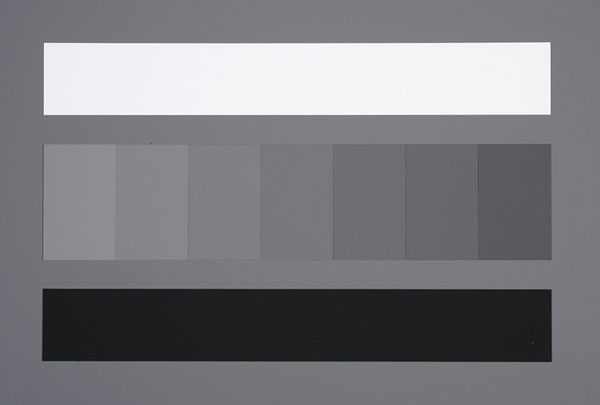
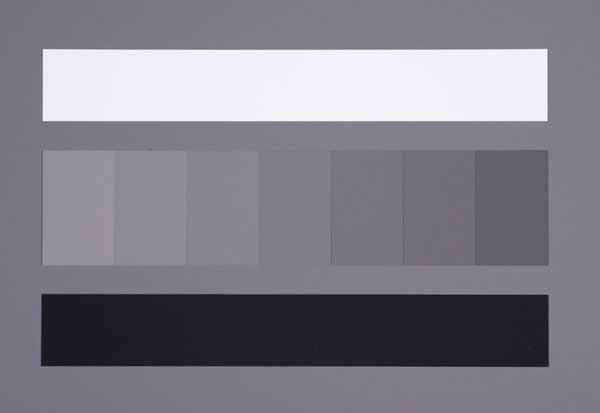
The plain 18% grey back of the test card is ideal for white balancing and spot metering. The front side has an 18% grey field plus a central array of seven grey patches in 1/6th stop increments, plus and minus 0.5EV either side of 18% grey. Above this is a white strip 2.33 EV brighter than 18%, and below it a black strip 2.33EV darker.
Sekonic Digitalmaster test file from the Konica Minolta Dynax 5D
While Sekonic issue LAB values and densities for their £99.99 card (it goes from 3.6% to 90.7% reflectance, densities 0.04 to 1.44 LogD), they disclaim accuracy and say ‘not guaranteed as the performance of exposure profile target’.
Test file from the Sony Alpha 100 under identical lighting and lens conditions
In the CD-only user instructions you learn that you can equally well use a Kodak Greyscale and enter the data manually. The software, however, operates only with the Sekonic target for automatic entry. Even this is mainly manual; you must use Photoshop to read off the RGB values from each patch. It will not read a JPEG in the way that camera ICC profiling software reads a target image.
Light and lens problems
The recommendation is 45° copy lighting, but the total range of exposures needed to calibrate one DSLR fully is too great for most flash systems at such close range. You need to give plus three to minus three stops either side of a metered exposure, at each ISO speed you want to measure. You should also compare incident and reflected readings, and make tests using both flash and ambient light.
Even at ISO 400 my Elinchrom 300S heads, turned down to 1/16th power, need a neutral density filter fitting to make a complete set of exposures with ISO 400 and a lens which stops down to ƒ32, when placed five feet either side of the target.
The biggest speed deviations with DSLRs occur at even higher ISOs. Doing a full calibration is going to be difficult – I did not attempt it because I’m not keeping the meter, and it would have occupied a full half-day or maybe most of a day. But I would have needed some special type of light source to calibrate ISO 1600 or 3200.
It was useful to find out that two of our DSLRs used with twin wireless flash heads and auto exposure agreed with the Sekonic to within 1/10th of a stop, and one gave 1/3rd of a stop overexposure.
For quick operation, without a camera calibration for dynamic range and clipping point data, you don’t need the ±3 stops business. You don’t really need the Sekonic card, a good 18% grey card will do fine. Take a shot at each ISO setting, as measured by the Sekonic meter, using a medium lens aperture (least likely to have errors) and medium flashpower if possible (ditto). Open the JPEG in Photoshop, check the Green channel RGB levels in ‘Info’ and this should be within the range 116 to 120 (118 is the target figure). The 1/6th stop steps either side of G=118 are roughly in intervals of 8 on the lighter side and 7 on the darker side but cameras do not have linear response, and Sekonic only work within +/-2 units of the 256 value G scale.
Once you have completed all your entries, the meter is connected to the computer by its supplied USB cable, and the program recognises its presence. You can then upload the new calibration to the meter. Each calibration is recalled using a memory menu on the L-758D, and you must of course remember which storage register applies to which camera.
If you think any of this is slightly complicated, don’t buy the Sekonic L-758D for its programmable camera customisation. Buy it for its excellent performance as a multifunction flash/ambient meter with wireless Pocket Wizard compatible triggering upgrade option, and all the features you’ll find in the best meters of the last decade rolled into one.
The Sekonic L-758D meter is imported to UK by JP Distribution, and has a retail price (without the calibration target or the Pocket Wizard adaptor) of £398.99 including VAT.
Like Mike Johnston writing in The On-Line Photographer, I’m aware that any attempt to line up one or more cameras and show comparison images or make judgements is on to a loser from the start. And any webmaster who puts an external link in the first half dozen words of a new post is losing the plot too! But here, for what it’s worth, is the first line-up of results processed using the same software from A900 and D3X uncompressed raw files converted without sharpening or noise reduction.
The introduction of a £399 (street price, RRP £449) DSLR with 14.2 megapixels – with or without a useful type of Live View – should have been applauded by reviewers. It’s the single most important point about the camera. No other DSLR approaches this image size and resolution at such a low price. (more…)